
Thanks for your support! If you make a purchase using our links in this article, we may make a commission. And, as an Amazon Associate, I earn from qualifying purchases. See the full disclosure here.
Published January 9, 2024 | Last updated July 29, 2026
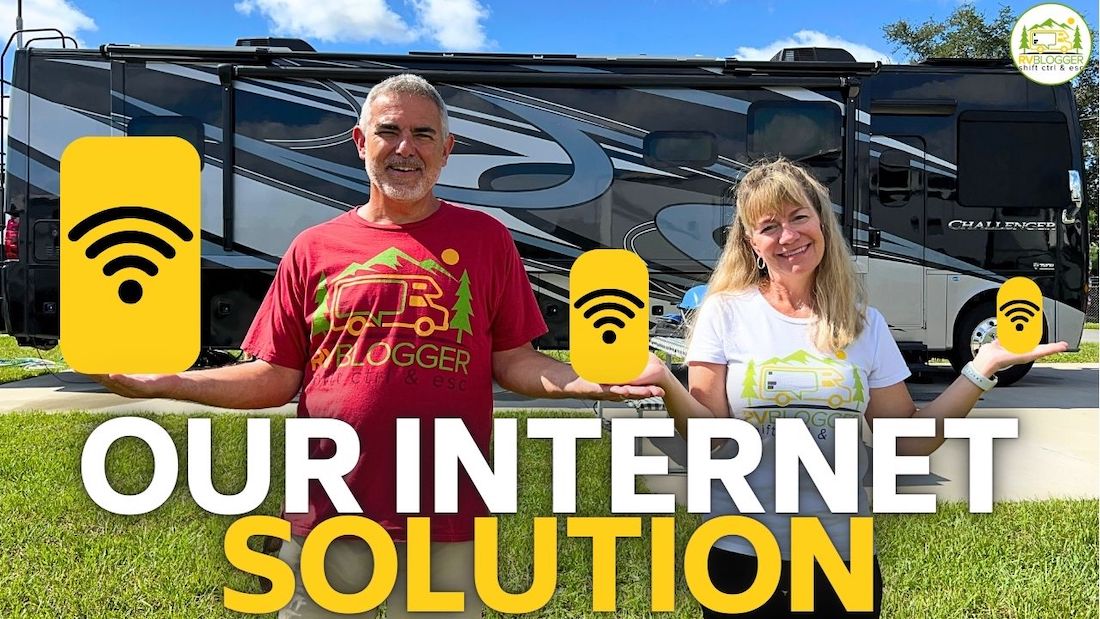
How do we get internet while RVing? Today, we use T-Mobile Home Internet as our primary connection, an older Starlink system as our backup, and the hotspots on our phones when we are in a pinch.
But there is an important catch.
Our $50-a-month T-Mobile Home Internet gateway has worked incredibly well all over the country. We almost never need anything else. However, T-Mobile’s current rules say its standard Home Internet plans are only supposed to be used at the approved home address.
We have not been stopped or restricted, but I cannot recommend that another RVer buy a home-only plan and use it in a way T-Mobile says is not allowed.
The approved mobile alternative is T-Mobile AWAY, which costs considerably more.
Starlink has changed too. Its Roam plans have new data levels and pricing, and Starlink now offers a much smaller Mini that makes a lot of sense for RVers with limited storage.
So this article is not just a transcript of our older video. It is an honest update on what we use, what the current rules say, and the cheapest sensible internet setup for weekend campers, full-time RVers, and people who earn a living from the road.
Watch How We Get Internet While RVing
In this video, Susan and I explain the three internet systems we were carrying at the time: Starlink, T-Mobile Home Internet, and a Verizon SIM card installed in our Winegard system.
Our setup has changed since we filmed it.
We got rid of the Verizon plan because we rarely used it and did not see any reason to keep paying $20 a month for a backup that sat idle. When we need a quick cellular backup now, we use the hotspot on one of our phones.
We still carry Starlink, but T-Mobile has worked so well for us that Starlink usually stays packed away.
What Is the Best Way to Get Internet in an RV?
The best RV internet setup depends on how often you camp and what happens if your connection fails.
A weekend camper who wants to check email and stream a movie does not need the same system as someone running a business, attending video meetings, homeschooling children, or uploading large YouTube videos.
Here is my blunt answer:
- Weekend campers: Start with the hotspot already included with your phone plan.
- Full-time RVers: Use one approved dedicated mobile or satellite plan that fits where you travel.
- People who work from the road: Carry two internet options that use different networks.
No single RV internet service works everywhere.
Cellular internet depends on nearby towers and available network capacity. Starlink needs a reasonably clear view of the sky. Campground Wi-Fi may be great one day and almost useless the next.
If losing internet only means missing a movie, one connection may be enough.
If losing internet means missing a deadline or being unable to earn income, you need a backup.
Our Current RV Internet Setup
Susan and I are on the road for much of the year, and RVBlogger is our business. We need internet almost every day.
Download speed matters for normal browsing, streaming, and watching television. Upload speed is just as important to us because we upload large video files to YouTube.
Our current setup is:
- T-Mobile Home Internet for our primary connection
- Our older Starlink system as a satellite backup
- Phone hotspots for short-term emergencies
That combination has kept us connected in almost every situation, but our T-Mobile plan needs an honest explanation.
Our Experience With T-Mobile Home Internet
We pay $50 a month for T-Mobile Home Internet, and it has been awesome.
We set the gateway near the front of our Class A, plug it into an outlet, and connect our computers, phones, and streaming devices. We have used it throughout the country, including while Susan was online as a passenger while we were driving.
In places with a strong T-Mobile signal, the service has been so good that we rarely unpack Starlink.
It also gives us unlimited data under our existing plan, which matters when we are streaming and uploading videos.
I would love to tell every RVer to buy the same $50 plan and take it everywhere.
I cannot do that.
Current T-Mobile Home Internet Rules for RVers
T-Mobile’s current Home Internet FAQ says its regular Home Internet plans are eligible for use only at the approved service address and may be restricted when used somewhere else.
You can review the current rules on the T-Mobile Home Internet FAQ.
We have traveled with ours without being caught or restricted. That is our real experience, but it does not change the rule.
I do not want someone to sign up based on our old video, take the gateway across the country, and then blame us if T-Mobile restricts or cancels the service.
The plan T-Mobile now markets specifically for RVers and frequent travelers is called T-Mobile AWAY.
As of July 2026, T-Mobile lists:
- AWAY 200GB: $110 a month with AutoPay
- AWAY Unlimited: $160 a month with AutoPay
The gateway is included, and T-Mobile says AWAY can be used across its nationwide network and while traveling in motion.
The 200GB plan slows to a maximum of 128 Kbps after the monthly allotment is used. That is technically still a connection, but it is not something I would want to depend on for streaming, video calls, or uploading large files.
T-Mobile also says AWAY can be paused for up to 90 days twice a year for $10 a month while paused.
The downside is obvious. The approved mobile plan costs far more than the $50 Home Internet plan we use.
Still, AWAY is the T-Mobile option I would point a traveling RVer toward if following the current terms is the priority.
How We Use Starlink in Our RV
Our second internet option is an older Starlink Standard dish.
We use the FlagPole Buddy StarLink system that attaches to the rear ladder of our Class A. The dish mounts above the RV when we have a clear view of the sky.
I like the ladder-mounted pole because the dish is elevated and out of the way. I can also remove the dish and set it on the ground farther from the RV when trees block the signal.
Our setup is portable, not permanently mounted to the roof.
That matters because trees are Starlink’s biggest weakness. A dish mounted permanently on the roof cannot be moved when the campsite is buried under branches.
With our portable setup, I can move the dish into an opening. We also carry additional cable so I can place it farther away when necessary.
We remove and store the dish and Pole Buddy components before driving. Our setup is for use after we are parked, not for driving down the highway with the dish deployed.
Starlink has worked well for us in places where cell service was poor or nonexistent, including parts of Michigan and Colorado.
It has also allowed us to use Wi-Fi calling when our phones could not reach a cellular tower.
Current Starlink Roam Plans and Rules for RVers
Starlink changes its plans and prices fairly often, so always check your exact account and location before buying.
As of July 2026, Starlink’s public service-plan page lists these Roam options in the United States:
- Roam 100GB: $55 a month
- Roam 300GB: $80 a month
- Roam Unlimited: $175 a month
You can see the current options on the Starlink service-plan page.
The 100GB and 300GB plans continue with unlimited low-speed data after the high-speed allotment is used. That reduced-speed connection may handle basic email and messaging, but video calls, streaming, and large uploads can become difficult.
Here are the other current rules RVers should understand:
- Use a Roam plan for travel. Residential service is designed for a fixed service location.
- Roam data can be slower during congestion. Starlink gives Roam traffic lower priority than some fixed and priority plans.
- Service can be paused through Standby Mode. Starlink charges a small monthly fee rather than reducing the bill to zero, but Standby provides basic emergency messaging and makes reactivation easier.
- International travel has limits. Starlink generally allows Roam use in available foreign countries for up to 60 days per trip before an address or account change may be required.
- Only use Starlink in authorized markets. Service can be restricted in countries where Starlink is not approved.
- In-motion use is permitted on Roam. Starlink’s current policy permits in-motion use, but the equipment must be installed securely and used according to the hardware and mounting instructions.
- Roam is not guaranteed everywhere. Trees, congestion, terrain, weather, and local capacity can all affect performance.
There is one more fine-print issue for people who work from the road.
Starlink markets Roam for working on the go, but its consumer-plan terms also say Roam is not intended for business or enterprise service. A remote employee checking email is not necessarily the same situation as a company buying internet for commercial operations, but I would not pretend the wording is perfectly clear.
If your business depends heavily on Starlink, review the current service terms and ask Starlink whether a Priority or business plan is more appropriate.
What Is Starlink Mini?
Starlink Mini is the option that did not exist when we filmed our original video.
It is much smaller than our older Standard dish and has the Wi-Fi router built into the unit.
According to Starlink, the Mini:
- Starts at about $199 for the hardware
- Measures roughly 11.75 by 10.2 by 1.45 inches
- Weighs about 2.4 pounds
- Typically uses about 25 to 40 watts
- Can run from DC power
- Can use a compatible 100-watt USB-C power source with the proper Starlink cable
You can check the current hardware details on the Starlink Mini page.
The smaller size, lower power use, and built-in router make the Mini attractive for:
- Weekend campers
- Van and truck-camper owners
- RVers with limited storage space
- Boondockers trying to conserve battery power
- Remote workers who want Starlink only as a backup
The Mini does not solve the tree problem. It still needs a clear enough view of the sky.
It also uses manual, software-assisted positioning rather than the motorized self-positioning system on our older dish.
For someone buying Starlink today mainly for RV travel, I would seriously consider the Mini before buying the larger system.
Our older Starlink still works, so I am not rushing out to replace it. But the Mini would be much easier to store in our RV.
Are Phone Hotspots Good Enough for RV Internet?
For many weekend campers, yes.
A phone hotspot lets your laptop, tablet, or streaming device use the cellular data from your phone.
The biggest advantage is cost. If hotspot data is already included with your phone plan, your additional monthly cost may be zero.
The disadvantages are:
- Hotspot data may have a separate monthly limit
- Speeds may slow after the high-speed allowance is used
- The phone may heat up or drain its battery
- Coverage depends entirely on that phone carrier
- Some plans limit video quality or hotspot speed
We use our phone hotspots as a backup now that we canceled the Verizon plan in our Winegard.
They are not our first choice for uploading a large video, but they can save the day when we need to send an email, finish a small task, or bridge a short outage.
For the best backup coverage, use a phone carrier that is different from your primary internet carrier.
If your dedicated internet uses T-Mobile, a Verizon or AT&T phone hotspot gives you a second cellular network instead of two devices depending on the same towers.
Is Campground Wi-Fi Good Enough?
Sometimes. I would never build my work schedule around it.
Campground Wi-Fi has improved in some places, and a few campgrounds sell upgraded packages with higher speeds.
But the connection is often shared by hundreds of campers. It may work fine in the morning and become painfully slow at night when everyone starts streaming.
Your campsite may also be too far from the access point, and the metal walls of an RV do not help.
Campground Wi-Fi is a useful bonus.
It is not a dependable primary connection for someone who must attend meetings, upload files, or work on a deadline.
RV Internet Cost Comparison
These prices are based on publicly listed plans in July 2026. Internet pricing changes constantly, so verify everything before purchasing.
| RV Internet Option | Current Cost | Best For | Main Limitation |
|---|---|---|---|
| Phone hotspot | Often $0 extra if included | Weekend campers and backup use | Data caps and cellular coverage |
| Campground Wi-Fi | Often included; upgrades vary | Casual browsing | Shared and unreliable |
| Starlink Roam 100GB | $55/month plus hardware | Occasional trips and satellite backup | Slower after 100GB; needs open sky |
| Starlink Roam 300GB | $80/month plus hardware | Frequent travelers with moderate use | Slower after 300GB; needs open sky |
| Starlink Roam Unlimited | $175/month plus hardware | Heavy users and remote locations | Cost, trees, and congestion |
| T-Mobile AWAY 200GB | $110/month with AutoPay | Travelers who stay in cell coverage | 128 Kbps after 200GB |
| T-Mobile AWAY Unlimited | $160/month with AutoPay | Heavy cellular users and streaming | No service outside T-Mobile coverage |
Our $50 T-Mobile Home Internet plan is not listed as a recommended RV option because T-Mobile’s current terms limit it to the approved home address.
What Is the Cheapest RV Internet for Weekend Campers?
The cheapest setup for most weekend campers is the phone hotspot they already have.
Start there before buying another device.
Use campground Wi-Fi when it works, and save your hotspot data for times when it does not.
Before the trip, check:
- How much hotspot data your phone plan includes
- Whether your carrier covers the campground
- Whether the campground offers Wi-Fi
- How much streaming you realistically plan to do
If you camp in remote areas with poor cell coverage, the Starlink Mini paired with the lowest Roam plan can be the cheapest dedicated satellite option.
The hardware cost is higher up front, but you can use Standby Mode between trips rather than paying the full active rate all year.
What Is the Cheapest RV Internet for Full-Time RVers?
For full-time RVers, the cheapest good answer depends on where you travel.
If you spend most of your time near cities, highways, and populated campgrounds, a legal mobile cellular plan may be easier because it works without setting up a dish.
T-Mobile AWAY is the direct mobile version of the service we love, but the $110 and $160 monthly prices are not cheap.
If you travel in open areas with poor cellular coverage, Starlink Roam may provide more value. The 300GB plan can be a strong middle ground for people who browse, stream reasonably, and do not upload enormous files every week.
A full-timer should not choose based only on the monthly price.
Think about where you camp. Starlink may be a bad choice if you spend most of the year in heavily wooded state parks. Cellular service may be a bad choice if you spend months boondocking far from towers.
What Is the Best RV Internet for Working on the Road?
If your income depends on internet access, the best setup is not one service. It is two services that fail in different ways.
A strong combination is:
- A cellular connection for easy everyday use
- Starlink for places where cellular coverage disappears
The lowest-cost version could be an approved mobile hotspot or phone plan as the primary connection and Starlink Roam 100GB as the backup.
Heavy users may need T-Mobile AWAY Unlimited or Starlink Roam Unlimited.
Creators who upload large video files need to pay attention to upload speed and data limits, not just download speed.
Before an important workday, I recommend:
- Checking cell coverage before choosing the campground
- Using the Starlink obstruction tool before setting up
- Running a speed test after arrival
- Testing a video call before the actual meeting
- Keeping the backup system charged and ready
- Avoiding huge software updates until you know the connection is stable
We used to carry three paid systems because we were nervous about losing internet.
In practice, we almost never used the Verizon Winegard plan. Canceling it saved us $20 a month without reducing our real-world reliability because our phone hotspots cover that emergency role.
More equipment is not always better. Every paid plan should have a clear job.
How to Choose the Right RV Internet Setup
Ask yourself these questions before buying anything:
- How many days a month do I camp?
- Do I need internet while driving or only after parking?
- Do I camp under trees or in open areas?
- How much video do I stream?
- Do I upload large files?
- Do I attend work or medical video calls?
- Can I afford to be offline for a day?
- How much storage space and electrical power do I have?
- Does my current phone plan already include enough hotspot data?
Do not buy Starlink because every other RVer seems to have one.
Do not buy an expensive unlimited mobile plan when you camp six weekends a year.
And do not depend on one connection when your paycheck depends on being online.
Our Honest Recommendation
T-Mobile Home Internet has been the best RV internet solution we have personally used.
It is inexpensive, fast, unlimited under our plan, easy to set up, and has worked in far more places than we expected.
But current T-Mobile rules do not approve the standard Home Internet plan for traveling from campground to campground.
That means our actual experience and our recommendation are not exactly the same.
For a new RVer buying service today:
- Weekend camper: Use your phone hotspot first.
- Frequent traveler: Compare Starlink Mini with an approved mobile hotspot or T-Mobile AWAY.
- Full-time RVer: Choose one strong primary plan based on where you camp.
- Remote worker or business owner: Carry both cellular and satellite connections.
Our older Starlink and Pole Buddy system will stay in the RV because it gives us a way to get online when cell towers cannot.
Our phone hotspots have replaced the Verizon Winegard plan we barely used.
And we will keep using our T-Mobile Home Internet gateway as long as it continues working for us, while being completely honest that T-Mobile’s current terms say it belongs at the approved home address.
Final Thoughts
Getting internet in an RV is much easier than it was a few years ago, but there is still no perfect system.
Cellular internet is easy and often fast, but it disappears when you leave tower coverage.
Starlink reaches places cellular service cannot, but trees and obstructions can shut it down.
Campground Wi-Fi is cheap, but it is too inconsistent to trust.
The cheapest answer is usually the hotspot you already own.
The best answer for most frequent travelers is one dedicated connection that matches their camping style.
The best answer for anyone who must work is redundancy.
Internet equipment and plans change quickly. Verify the price, data limit, portability rules, pause policy, and service terms before signing up.
What worked perfectly last year may not be the best—or even an approved—option today.
Related Reading:
–Does Walmart Have Free Wifi?
–Can You Park An RV At A Hotel? We Have!
–10 Best RVs With Office Space For Working Remotely
Mike Scarpignato – Bio
Mike Scarpignato founded RVBlogger.com with his wife, Susan, in 2018 to help new and experienced RVers make better decisions about buying, owning, and traveling in an RV.
Mike has decades of camping experience and has traveled extensively in both a Gulf Stream Conquest Class C and a Thor Challenger Class A motorhome. He and Susan spend much of the year on the road, attend RV shows, visit dealerships, and tour RVs across the country.
Through RVBlogger.com and the RVBlogger YouTube channel, Mike shares practical, first-hand advice about RV buying, floor plans, ownership, maintenance, gear, campgrounds, and the RV lifestyle.